
The Future of Passwords: Passkeys Explained
Passwords have had a good run and a terrible one.
They’re hard to remember. Sites make you add symbols and numbers until the password looks like ancient runes. Then it leaks in a data breach anyway.
Passkeys might finally let us ditch passwords for good. If you’ve seen “Sign in with a passkey” pop up and wondered whether it’s safe and whether it’s the future, this is for you.
Passkeys are being called the future of logins. Here is what they are and how they work.
What Exactly Is a Passkey?
A passkey is a new way to sign in that replaces passwords with cryptographic keys stored on your devices.
Instead of:
- typing “MyDog!sC00l123”
you: - confirm it’s you on your phone (fingerprint, face, PIN),
- tap “Use passkey,”
- you’re in.
No password crosses the internet, so there is nothing to guess. You never see the passkey yourself, by design.
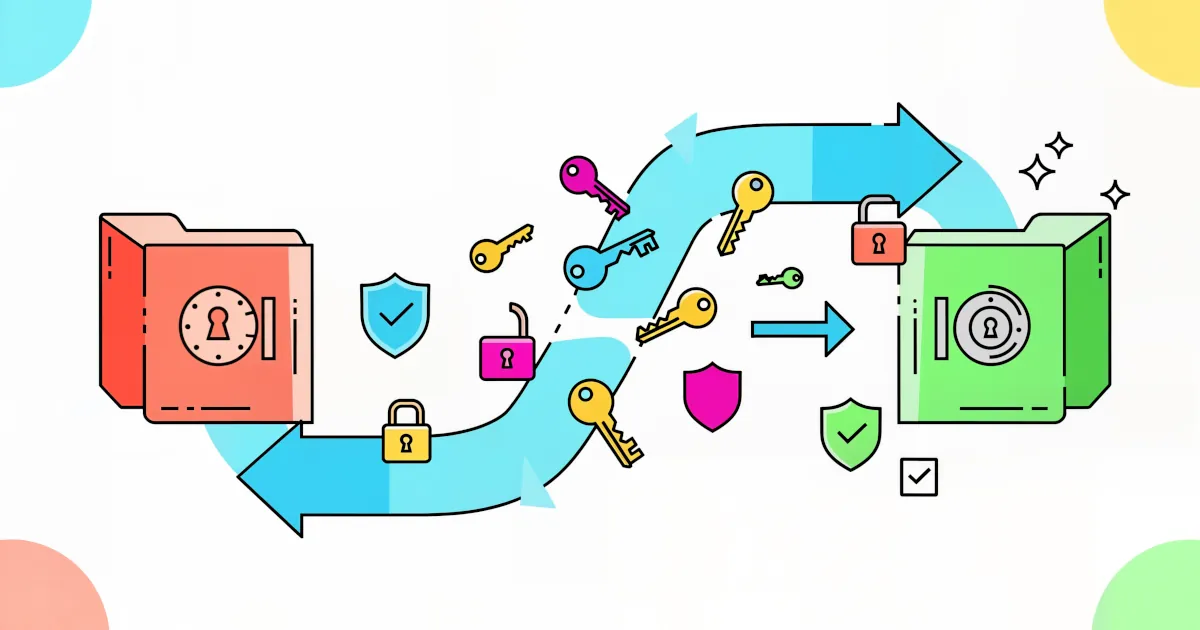
Under the hood, passkeys use public-key cryptography:
- A public key lives with the website/service.
- A private key lives securely on your device (or synced across your devices via your account, like iCloud Keychain, Google Password Manager or a password manager that supports passkeys).
When you log in, the site proves you’re you by checking that your device can respond to a challenge using the secret private key.
Why Are Passkeys a Big Deal? (The Benefits)
Here’s why people are saying passkeys are the best of modern authentication.
1. Way More Secure Than Passwords
Passwords fail in a bunch of ways:
- You reuse them across sites.
- Sites store them badly.
- They can be guessed or cracked by brute force.
- Phishers trick you into typing them into fake pages.
With passkeys:
- There’s no password to steal or reuse.
- Sites store only your public key. On its own, it can’t be used to sign in.
- Your private key never leaves your device.
- Phishing gets much harder, because your passkey only works with the legitimate site.
2. More Convenient
Logging in on your laptop feels like this:
- A prompt pops up on your phone: “Use passkey?”
- You confirm with Face ID / fingerprint / PIN.
- Done.
No more:
- “Forgot password?”
- Checking your email for codes
- Typing 16-character monsters
Once set up, passkeys feel like the smoothest login method most people have ever used.
3. No More “One Password to Rule Them All”
Using just one password (or one pattern of passwords) everywhere is a disaster waiting to happen.
With passkeys:
- Each app/site gets its own unique key pair.
- A breach at one service doesn’t give attackers access to other accounts.
It’s like swapping one master key for every door in your life for a separate key on each door that can’t be copied or guessed.
4. Built for the Devices You Already Use
Passkeys work with:
- iPhone, iPad, Mac (via iCloud Keychain)
- Android and Chrome (via Google Password Manager)
- Windows (via Windows Hello + compatible browsers)
- Major browsers: Chrome, Edge, Safari, Firefox (ongoing support)
- Modern password managers (1Password, Dashlane, Bitwarden, etc., are rolling out passkey support)
You don’t need a hardware token or fancy gadget. The devices you already own become your “auth key ring.”
How Do Passkeys Work in Practice?
Here’s a simple login flow:
- You create an account on a site that supports passkeys.
- The site asks: “Create a passkey?”
- Your device (or password manager) generates a key pair. The public key is sent to the site. The private key is stored securely on your device (or in your encrypted sync).
- Next time you log in, the site says, “Prove you own the private key.” Your device prompts you for Face ID / fingerprint / PIN, then signs a challenge with the private key. The site verifies the signature using your public key.
You never see the keys. You just see:
- A quick biometric prompt
- Instant login
What Are People Saying? (Early Reviews & Real-World Use)
Passkeys are already live on big platforms like:
- Apple ID
- Microsoft
- PayPal
- eBay
- Shopify
- Some banks and password managers
Early user feedback and tech reviews highlight:
Pros:
- Login is significantly faster and smoother
- A big reduction in phishing risk
- Less mental load (no more password “strategy”)
Cons / Growing Pains:
- Not every site supports passkeys yet
- People are confused: “Is this like logging in with Google?” (It isn’t the same, though it can feel similar.)
- Multi-device setups, work vs personal accounts and shared family access are still evolving
Overall, the trend is clear: major reviewers and security pros are calling passkeys one of the most promising replacements for passwords we’ve ever had.
Do I Still Need a Password Manager?
Short answer: for now, probably yes.
Passkeys work well, though we’re in a transition phase:
- Many sites still only support passwords.
- Some support both passwords and passkeys.
- Very few are passkey-only.
A good password manager still helps you:
- Store strong passwords for older or stubborn sites
- Store recovery codes, 2FA secrets and secure notes
- Manage both passwords and passkeys in one place (as support improves)
Think of passkeys as the future and password managers as the bridge that gets you there without losing your accounts.
Passkeys Aren’t Perfect
A few things to keep in mind:
1. Device Loss
If your phone or laptop is your “key,” losing it is a problem.
Sync and backup cover that:
- iCloud, Google and some password managers can sync passkeys across your logged-in devices.
- Always keep your main accounts backed up.
- Always set recovery methods (email, backup codes, hardware keys if supported).
2. Shared Accounts
Shared logins (like a family Netflix account or a shared business login) are still clunky with passkeys. That is improving:
- Some managers and platforms are building passkey sharing features.
- Until that’s mainstream, shared accounts might still need old-school passwords or careful passkey sharing workflows.
3. Adoption Curve
The switch won’t flip overnight.
For a while, you’ll live in a mixed world:
- Some sites: use passkeys
- Others: strong password + 2FA
But the direction of travel is clear: more sites are adding passkeys every month.
Should You Start Using Passkeys Now?
If you want stronger security and simpler logins, the answer is yes.
Here’s a simple game plan:
Turn on passkey support where possible
- In your browser or device settings, enable password manager / passkey options.
Add passkeys to major accounts
- Google, Apple ID, Microsoft, PayPal, banks and any platform that offers it.
Keep 2FA turned on
- Passkeys are strong, but more layers still help, especially for important accounts.
Use a password manager for the rest
- Let it handle the ugly legacy password world while passkeys spread.
You’ll get the benefits now and be ready as more sites join the passkey wave.
The Future: Password-Free (For Real This Time)
Security experts have talked about “the death of passwords” for more than a decade. It never quite happened because the alternatives were:
- Too complex
- Too annoying
- Too niche
Passkeys are different because they combine:
- Best-of security tech (public-key cryptography, hardware-backed storage)
- Best-of user experience (Face ID, fingerprints, simple prompts)
As more platforms roll them out, logging in might become:
- Safer
- Faster
- Less irritating
If you want tools that are secure and user-friendly, passkeys are worth experimenting with now.